The challenge
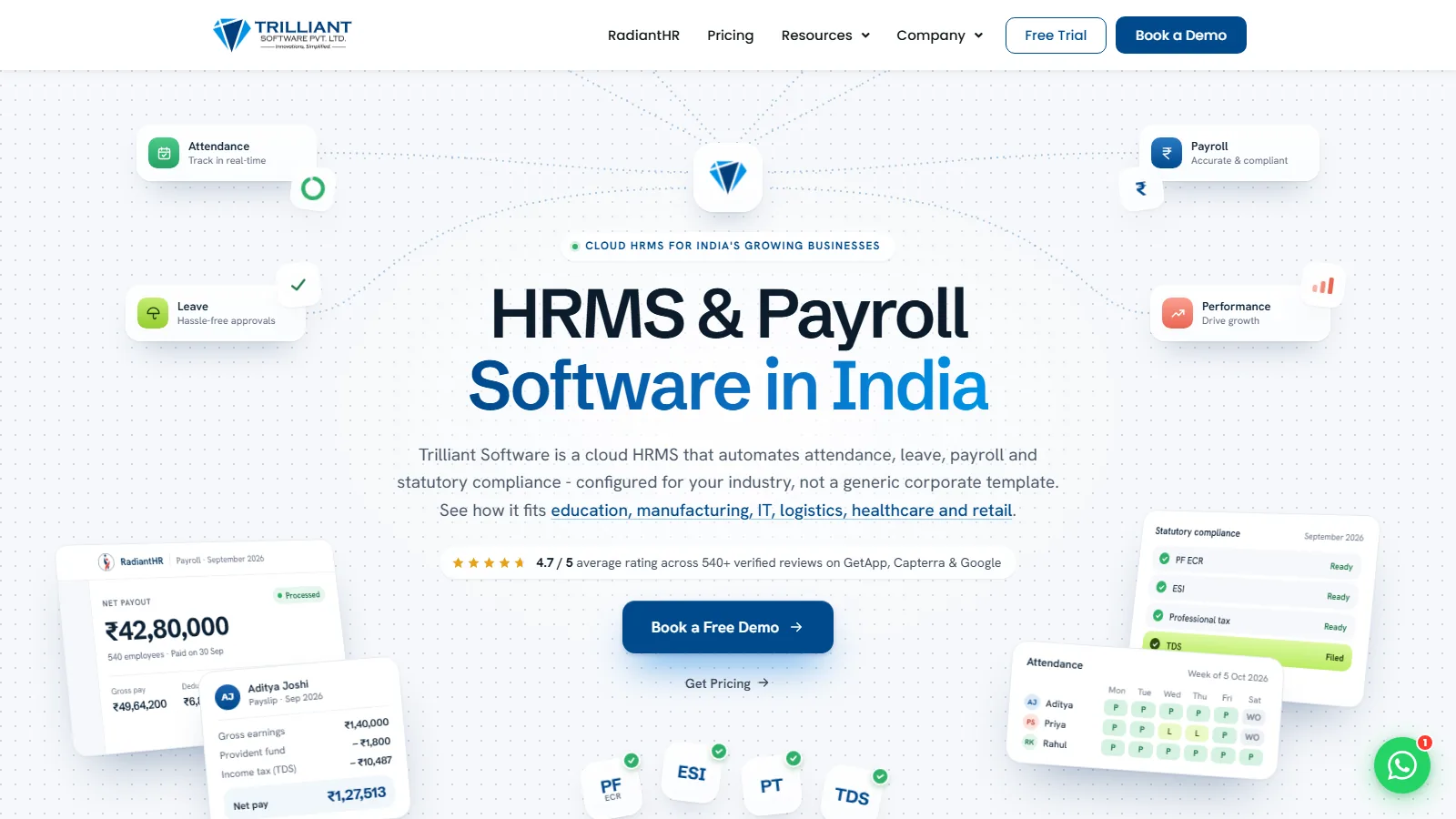
Trilliant Software sells cloud HRMS and payroll to Indian businesses, a market where buyers search for HR terms, letters and calculators long before they search for software. It needed a website that explains the product and turns visitors into demo and trial requests. It also needed hundreds of search pages that were accurate, on brand and easy for its marketing team to publish without a developer.
What we built
We built the whole website on WordPress with Elementor: home, product, pricing, demo booking, free trial and contact. Then we added the SEO content pages: a guide hub with 10 HR guides, an HR glossary of 364 terms and a hub of 47 free HR tools. A Python generator turns the content team's Word files into finished pages, so every page comes out in the same layout. The tools run entirely in the browser, with no backend to host.
Why SEO content pages for an HR SaaS
People who buy HR software search for HR problems first: what gratuity is, how to write a relieving letter, how to work out TDS on a salary. A product page cannot answer those questions, so it never meets the buyer at that stage. Pages that answer them well can, and each one can point to the product that solves the problem for good.
So the website had two jobs: sell the product to people ready to compare HRMS tools, and meet everyone else at the question they are asking today. Trilliant’s marketing team had the writers. What it needed was a site built for both jobs, and a way to turn its writers’ work into hundreds of consistent, fast, well-linked pages without building each one by hand.
How we approached it
We built the core website first: home, product pages, pricing, demo booking, free trial and contact, on WordPress with the Astra theme and Elementor, so the marketing team edits pages in a familiar editor. Then the content, in three steps, each live before the next began: first the HR guides, then the glossary, then the free tools.
For the glossary, the content team kept writing in Word, letter by letter. A Python generator reads those files and produces each term page plus the hub. It turns sections into the right shapes: a definition card, numbered steps, a formula box, a worked example. It also links each term to related terms on first mention, up to six per page. When a new batch arrives, the team rebuilds and pastes, and the hub’s A to Z counts and search update with it.
The tools follow the same idea: one generator, one layout, 47 pages. Letter generators fill a live preview as you type and download as a Word file or print to PDF. Calculators show the formula and a worked example on the page.
Architecture
- Site: WordPress with the Astra theme and Elementor, built by us, with Yoast SEO for titles, descriptions and sitemaps.
- Content pages: each guide, glossary and tool page is one self-contained block of HTML, CSS and JavaScript in an Elementor HTML widget, so hundreds of pages publish without touching the theme.
- Generators: Python scripts with no outside packages build the glossary and the tools from the content files, plus an SEO sheet with a title, description and focus keyword for every URL.
- Tools: plain JavaScript in the browser; nothing is sent to a server.
- Structured data: breadcrumbs, FAQs, a defined-term set for the glossary and a web-application entry for each tool.
This is the kind of work our web application development and UI/UX design services cover.
The hard part: getting the numbers right
An HR calculator that is wrong is worse than none. Gratuity, TDS, notice periods and salary arrears follow Indian rules, and a buyer who catches one mistake will not trust the product either.
So every calculator carries a worked example on its own page, and the build checks that the calculator reproduces it. Rates that change with the Finance Act, such as the TDS slabs and the gratuity ceiling, sit in one place and are flagged for review before each publish. Legal and tax pages carry a disclaimer that they are a guide, not advice.
Evaluation and guardrails
- Every build writes a report listing warnings (missing sections, long meta descriptions, broken term links), and warnings are fixed before pasting.
- After publishing, pages were checked on the live site, not just in the editor: status 200, one H1 per page, the right title and description.
- Pages are tested at phone width; a layout fix for narrow screens was found on the salary-slip tool and carried into the shared layout.
What changed
- Trilliant has a complete website: product pages, pricing, demo booking and free-trial sign-up, plus a library of 364 glossary pages, 47 tools and 10 guides, all live.
- The content team publishes new glossary terms by writing in Word and pasting the rebuilt page, without a developer for each term.
- Every page links to related HR terms, tools and guides and to a demo request, so readers who arrive with an HR question can find the product.
The same approach suits other SaaS companies and HR and recruitment businesses that need search content at scale.
KaliIO built our website, then the HR guides, glossary and free tools around it. Our content team writes in Word, and the pages come out ready to publish.